CoolUtils Total Image Converter 8.5.0.363 Multilingual (Neverb)
INFO HASH: E7D18D0892DC3F13A41D47AE20CF5C1AFEEDBE60
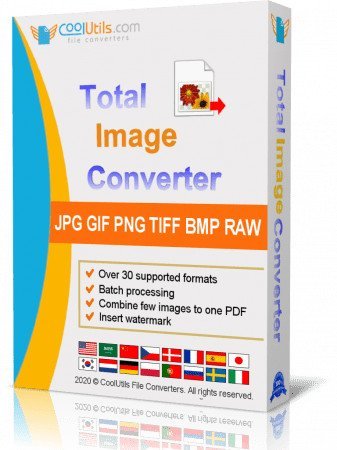
Total Image Converter converts images to other formats, crops, resizes and rotates them. Convert large TIFFs into small JPEGs, make photos suitable for the web or recover old photos in unsupported formats - Total Image Converter will do everything you need.
- Supports TIFF, JPEG, RAW, PNG, BMP, PSD, TGA, and many other image formats;
- Works incredibly fast with new multi-threading feature;
- Converts CMYK to RGB;
- Handy resize and crop options to make your photos smaller;
- Watermarking: add your comment, logo or date.
Features
- Total Image Converter supports TIFF, JPEG, JPEG2000, RAW, PNG, BMP, ICO, PSD, TGA, PCX, PCD and many other rare image file types files complete list).
- Along with conversions you can rotate your images! All is done in batch so you save a lot of your valuable time.
- With Total Image Converter it's very easy to resize your photos or images.
- With Total Image Converter you can specify the color space for your output images.
- What to combine images within folders? No problem! Our powerful batch image converter can do that too.
- Total Image Converter will also add a frame to your images in batch.
- Convert TIFF, JPEG, PSD and many other files in seconds via our clear wizard-mode interface (thumbnails or file lists with details).
- The widest list of output file types: PDF, TIFF, BMP, PNG, JPEG, JPEG2000, ICO, GIF, PCX, TGA, PXM, PS, PCL! Besides, it supports many rare formats like PALM, PICT, XPM, FIX, etc.
- Total Image Converter supports almost all RAW camera photos (CRW, CR2, NEF, PEF, RAF, X3F, RAW, BAY, ORF, NRW, SRF, MRW).
- The built-in Preview panel helps you to view each file full-sized and learn the indo about it.
- Add text watermarks to the header or the footer of the output file to prevent unauthorized use.
- When you convert images to PDF you can set user permissions, password-protect your files or sign them with your digital signature.
- Try the Total Image ConverterX SDK to use it on your server (no GUI).
- Total Image Converter can be run via command line (get the ready-to-use command line from GUI settings
What's new
• official site does not provide any info about changes in this version
System Requirements:
Windows 7/8/10/11
https://www.virustotal.com/gui/file/42cd6e31b5ea54a5a2fa5ab077a62d72bf5acdd8ac4eed1b3deadb63d398c183
https://www.virustotal.com/gui/file/6d9db358e09ff098c1f4cc8e504b9f6cdedb05963816321c3475c1e3ad4b54ca
https://www.virustotal.com/gui/file/b1b5f79a36592dddcc6c689699c4410e491c4f8a8ccdaa33cf398234c98eec7d