AI Old Photo Restorer 2.0.0 [pac]
INFO HASH: 07B5128C226653FE2F02D3A8599F9A71F8ABAFD2
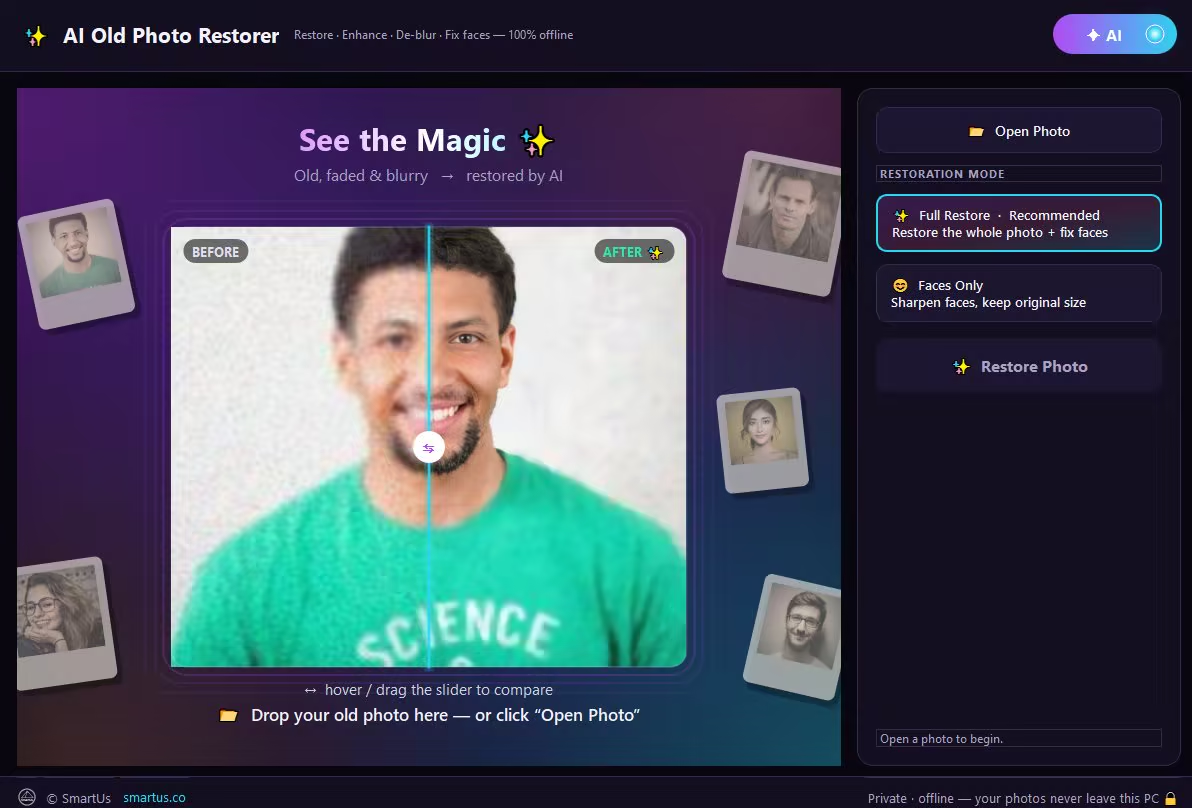
Bring your old photos back to life with AI — right on your own PC. AI Old Photo Restorer repairs, enhances and sharpens old, faded, scratched and blurry pictures in seconds, and restores the faces of the people you love — without ever uploading your memories. Everything runs 100% offline. Your precious family photos never leave your computer. No internet, no subscription, no monthly fees.
WHAT IT DOES
- Restore faces faithfully — sharpen the people in your photo without changing who they are
- De-blur & un-blur — turn soft, out-of-focus pictures crisp and clear
- Remove noise & grain from old scans and phone photos
- Upscale & enhance — recover detail and boost quality
- Fix old, faded, low-resolution and damaged photos
- Restore several faces at once — perfect for family & group photos
TWO ONE-CLICK MODES
- Full Restore — restore the whole photo + fix every face (recommended)
- Faces Only — sharpen faces, keep the original size
BEAUTIFUL & EASY
- Drag the before/after slider to see every detail come back
- Save a restored copy right next to your original — one click
- Just open a photo and press Restore. That's it.
PRIVATE & 100% OFFLINE
Your photos are processed entirely on your PC and are never uploaded to any server — ideal for personal, family and sensitive photos.
PERFECT FOR
Old family photos • Grandparents' pictures • Childhood photos • Faded & scratched prints • Blurry phone shots • Scanned albums • Restoring & preserving memories
Release Notes
- NEW: 10 languages — English, Français, Deutsch, Español, Português (Brasil), Italiano, Polski, Türkçe, Bahasa Indonesia and 日本語.
- Stronger automatic restore: scratches, spots, faded colours and colour casts are fixed better, noise removal adapts to each photo and faces are found more reliably
- NEW: Open Photo and Open Folder at the top — Open Folder restores a whole folder with Bulk Restore
- NEW: Clear, Undo and Reset under the photo, plus a right-click menu on the photo
- Restoring again? Choose to start from the restored photo or the original
- NEW: Cancel a restore at any time
- A memory check before very large restores; your PC stays responsive while the AI works
System Requirements
Windows 10 version 17763.0 or higher
https://www.virustotal.com/gui/file/d8a319a259af21aa36080df1994be7ce8165179a06b924f062561c0fd7d56a33