Bloodborne: Complete Edition (v1.09 + DLCs + Online + MULTi8) [DO...
INFO HASH: 59F0B4D92E14A464042064B1ACCD3B5DA17E8FBF
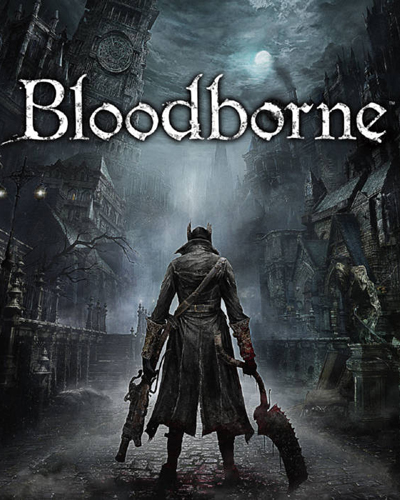
Title: Bloodborne
Genre: Action, RPG
Developer: FromSoftware
Publisher: Sony
Release Date: 2015
MINIMUM SYSTEM REQUIREMENTS
Requires a 64-bit processor and operating system
OS: 10 (1903 or later) or Windows 11, 64-bit
Processor: Intel Core i5
Memory: 8 GB RAM
Graphics: A graphics card with Vulkan 1.3 and a current driver
DirectX: Version 11
Storage: 3.9 GB
GAME DESCRIPTION
Bloodborne running natively on Windows 10 and 11, by Supermedo .
The original PlayStation 4 game runs directly on your PC: its own x86-64 code runs natively, and the graphics are translated to Vulkan. No emulator window, no setup scripts: unpack the zip, start Bloodborne.exe, pick your game folder and press PLAY.
Features
- Online play (beta): messages, bloodstains and wandering ghosts from other hunters through The Hunter's Dream, and bells and summons through a shadNet server (shadPS4's public one by default).
- Launcher with every setting in one window, in 13 languages: English, Arabic, Russian, Spanish, Portuguese, French, German, Italian, Polish, Turkish, Chinese, Japanese, Korean.
- Updates from the launcher: when a new version is out it tells you, and Update installs it. Your saves, settings and mods are kept.
- NVIDIA DLSS on GeForce RTX cards (RTX 20 series and newer).
- AMD FSR 3.1 and FSR 4 upscaling, plus native-resolution TAA.
- Unlocked frame rate with a frame cap (up to 120 by default), or 30/60/90 FPS.
- Output resolutions from 720p to 4K, presets from Native AA to Ultra Performance.
- Cheats page: never die, stealth, silent footsteps, Rally that never fades, enemy control, and gameplay tweaks (camera distance, no camera auto-rotation, easier running, ragdoll physics, the Japanese/Asian button layout with Circle to confirm and Cross to dodge).
- Game effects on and off: chromatic aberration, depth of field, motion blur, SSAO, the game's own AA, dynamic light shadows, screen-space reflections, model detail.
- Mods and third-party patches, loaded without changing your game files.
- DLC from your own dump (The Old Hunters on base-game dumps), with a DLC folder setting.
- Add to Steam puts the game in your Steam library in one click.
- Play Bloodborne.exe starts the game straight away with your saved settings (good for a desktop shortcut).
- Controller and keyboard, an in-game settings menu (Insert or L3+R3), name entry on screen, a desktop shortcut, and a button to clear the shader cache.
- Keyboard and mouse: remap keys and buttons on the Controls page, mouse look, and an optional direct 1:1 mouse camera (docs/INPUT.md).
- Text and voice language chosen separately, Brazilian Portuguese text included.
- Achievements page in the launcher with the trophies you have earned, updated live.
How to install
1- Run the installer as administrator
2- Click on the page
3- Press the up arrow on your keyboard
4- Click Install
5- Click Continue
6- Select installation destination
7- Click Next
8- Select component
9- Install
Repack Features
Based on : Bloodborne (CUSA03173). Version 1.09 + Bloodborne for Windows 1.8.2 by Supermedo (github.com/Supermedo/bloodborne_pc)
Game Version : 1.09
DLCs : Messenger Top Hat DLC, Messenger Yharnam Hat DLC, The Old Hunters
Languages : English, French, German, Italian, Spanish - Spain, Russian, Japanese, Portuguese - Brazil
- Language can be changed in Launcher
Repack Size : 24.9 GB
Final Size : 30.9 GB
Lossless repack : Nothing removed OR re-encoded
Install Time : 1 - 5 Mins
Greetings : Razor12911, KaOsKrew
Repack By DODI
PLZ SEED , DONT HIT & RUN
How to play
1- Start Bloodborne.exe.
2- On Game & effects, choose your 'game' folder (the one with eboot.bin).
3- Press PLAY
Playing online (beta)
- Register a shadNet account at shadnet.shadps4.net.
- In the launcher, open Online co-op, tick Play online and enter your account name (not your email) and password.
- Press Test connection: all three lines should say "reachable". Then press PLAY and choose online at the title screen. The Hunter's Dream welcome message means you are online.
Everyone you want to play with needs game version 1.09 and the same co-op server. A private shadNet server (from the shadp2p project) works too: put its address in Server address.
Playing with bbhost players on The Hunter's Dream's co-op pool is off in this port until it works properly with their server.