WinToHDD 6.8 Pro Multilingual Final Incl Patch
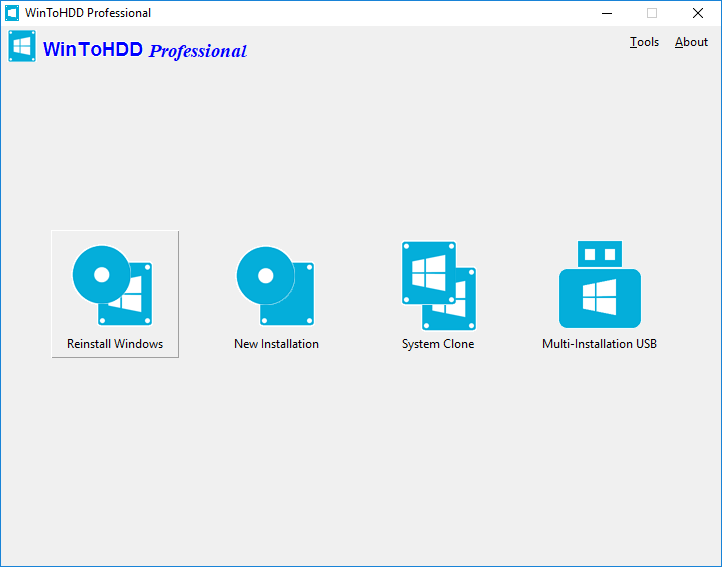
WinToHDD is a handy and useful Windows software that allows you to install or reinstall Windows without using a CD/DVD or USB drive. With this All-in-One Windows Setup software, you can easily reinstall Windows, install Windows onto disks other than the one where your Windows operating system is installed, or clone current Windows OS installation (Windows vista or later) to other disk.
Deploying Windows shouldn’t be rocket science for users who possess basic computer knowledge, especially with the right tools at hand. Aside from creating a bootable USB drive containing all the setup files of the OS, you can try out an application such as WinToHDD. Its purpose is to help you re-install Windows without using a disc and without going through the hassle of creating a bootable USB drive.
FEATURES :
Install, re-install or clone Windows
Attempting to make the Windows deployment procedure as simple as possible, WinToHDD comes with a straightforward, clean interface that only comprises three buttons: one for re-installing the OS on the local workstation, one for starting a fresh Windows install on a second storage device (hard drive), and the third for creating an exact copy of the local system.
In other words, not only that you can deploy Windows with WinToHDD, but it is also possible to create a copy of the Windows setup files and save it to another disk.
Go through simple steps to create a WinPE image
No matter what your choice is, getting the job done is only a matter of pressing a few ‘Next’ buttons from this point on. As expected, you are prompted to select the source ISO file that contains the Windows setup files. WinToHDD automatically reads data from the disk image and retrieves information regarding the operating system and its architecture.
Next, you must select the system partition that Windows will be deployed on and choose the installation mode. There are three available options, namely ‘Legacy’ (standard mode), ‘VHD’ or ‘VHDX’.
Whether you choose to install, re-install or clone Windows, it will take a while for WinToHDD to create the WinPE image that’s needed to proceed.
Deploy Windows without a disc or a bootable drive
Some prefer deploying Windows the old-fashioned way by booting from a disc while others like having a bootable USB drive at hand and thus not keep the Windows disk image on the computer to occupy storage space. WinToHDD offers a method to conveniently install or clone Windows without a disc or a bootable drive. This alternative will surely have its public, especially since it is easy to use and should pose no problems to the average user.
How to use:
0. Disable antivirus if needed [Mostly it's not needed].
1. Install Program (remove any previous patch/Install).
2. Copy patch to the install Folder and apply patch.
3. Done, enjoy the Software & Please seed for 36hrs.
Important: See virustotal scans: [Don't worry it's safe to install and we tested it before sharing]
https://www.virustotal.com/gui/file/23fcb9c6c555bb19cea0d0e75cc40547362f2b78d5bbcd4fa493b0326385b295
https://www.virustotal.com/gui/file/a00d53fef4bb4f17b8921be6a6e2ea2f1b76189f6bcd52b5e7a91a03f5a2e0e9